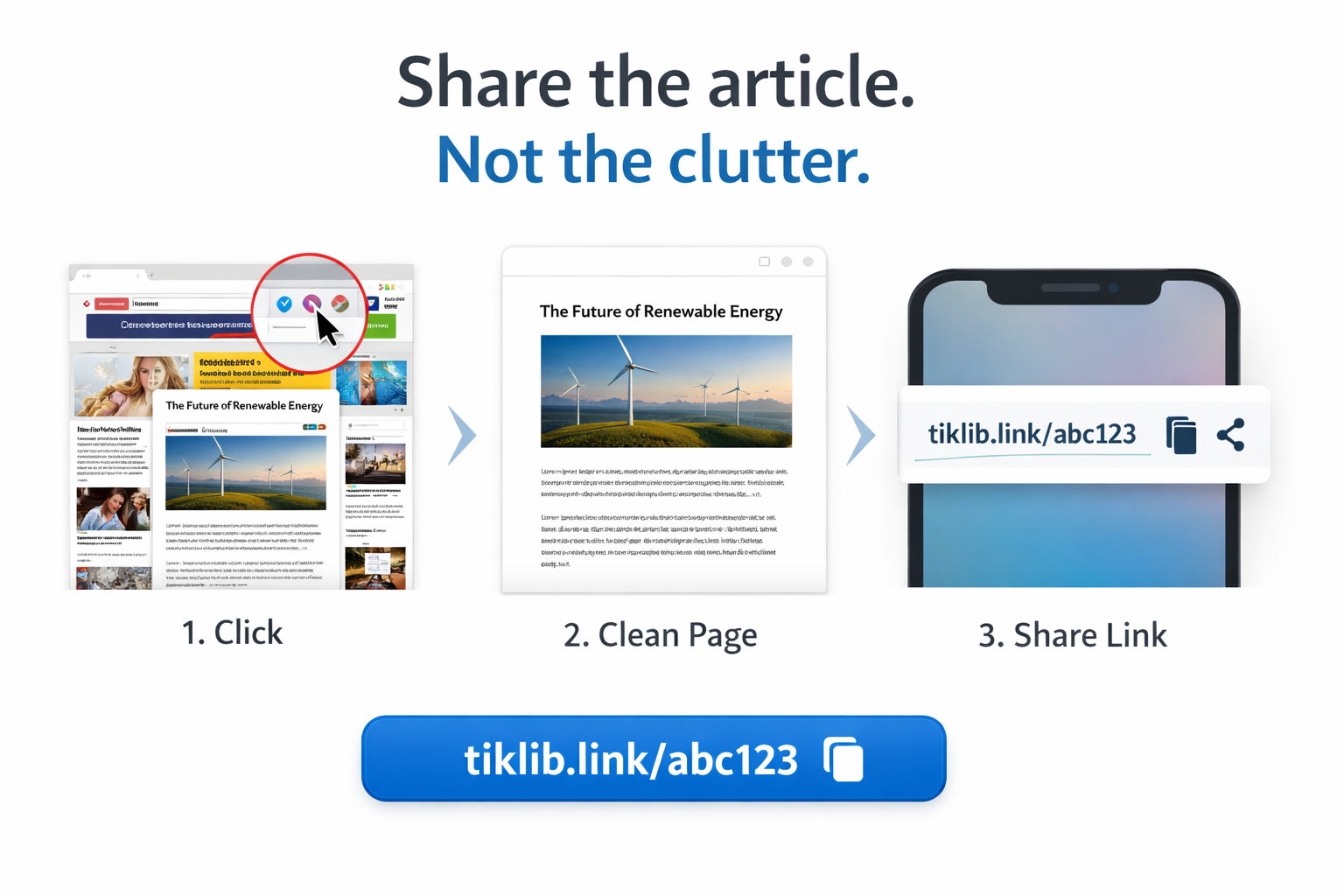
Tiklib turns articles into a clean, shareable reading link.
When you’re reading an article online — even one behind a paywall you legitimately access — Tiklib captures exactly what you see, removes clutter, and creates a distraction-free page you can share with a single link.
No screenshots. No PDFs. Just the article — beautifully presented.
Reading view
From page to permalink — in one click.
Click Tiklib, and you instantly get a clean, elegant version you can share anywhere.
Click the Tiklib button
Use it while you’re reading any article in Chrome.
Tiklib captures what you see
Including paid content you already have legitimate access to.
Content is cleaned automatically
Ads, menus, and distractions are removed. Layout is reformatted for reading.
Share one permanent link
A single, stable URL that works everywhere — with source and capture date included.
Long reads deserve a better share.
Stop sending screenshot chains and messy captures. Share the article — not the clutter.
Perfect for long articles
No more endless screenshots. One link is enough.
Distraction-free reading
No ads, pop-ups, autoplay, or sidebars.
Elegant presentation
Typography and layout optimised for reading.
Instant sharing
A clean link that works in chat, email, and social.
What you see is what’s shared
Tiklib captures the page you already have access to.
Always attributed
Each page shows the original source and capture date.
Built for people who share what they read.
If you regularly pass around articles for discussion and reference, Tiklib removes the friction.
Friends, family, colleagues
Share thoughtful reading without the mess.
Journalists, researchers, academics
Create clean references for discussion, annotation, and follow-up.
Teams & reading groups
Send one stable link everyone can open and read comfortably.
Anyone tired of bad captures
Stop fighting formatting. Start sharing cleanly.
Designed for personal sharing, not redistribution.
Only what you can access
Tiklib captures content you already have legitimate access to while viewing it.
Clear attribution
Each shared page includes the original source and capture date.
Quick answers.
Does Tiklib bypass paywalls? ▾
No. Tiklib captures what you can already view with your legitimate access, and keeps attribution visible.
What does a shared page include? ▾
A clean reading view of the captured content, plus a subtle note with the original source and capture date.
Is the link permanent? ▾
That’s the goal: one stable URL you can come back to for reference. We'll be adding expiry controls in the future.
What browsers are supported? ▾
Chrome first. We're working on more browsers.
Ready to share cleanly?
Install Tiklib for Chrome and turn any article you’re reading into a clean, elegant link.
Distraction-free. Share-ready.
app.tiklib.com/your-article